People ask to "remove the vocals" for all sorts of reasons: to make a karaoke track, to sample an instrumental, to pull a singer out for study, or to grab the music bed for a video. It helps to know that there are three quite different techniques, and that only one of them is genuinely good. Understanding the difference stops you wasting time on methods that were never going to work.
Method 1 — Phase cancellation (the old karaoke trick)
In many older stereo recordings the singer is placed dead centre, equally in the left and right channels. If you invert one channel and sum them, anything identical in both cancels out — and the centred vocal is identical in both, so it largely disappears. This is the classic karaoke trick, and it is free.
It also has hard limits. It only works on a true centre vocal, so it fails on modern productions where the vocal is panned, doubled or processed. It removes the centre of everything else too, so the bass and kick drum often vanish along with the voice. And because it works by subtraction, the result is rarely clean. It is a quick trick, not a proper separation.
Method 2 — EQ and filtering (not really separation)
Sometimes people try to isolate a vocal by boosting the mid-range where voices live. This can make a vocal more prominent, but it does not separate anything: you still hear the whole mix, just tilted towards the voice. It is useful for karaoke practice and for making a vocal easier to hear, but it will never give you a clean vocal-only or music-only file.
Method 3 — AI stem splitting (what actually works)
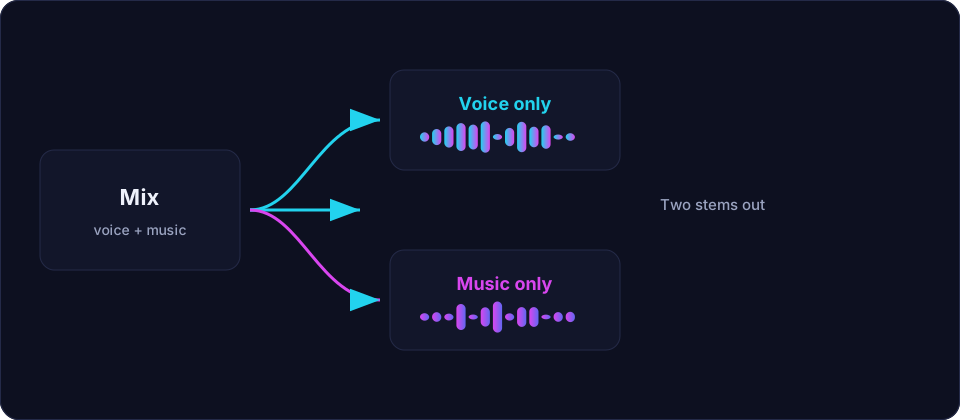
Modern source separation uses a neural network trained on thousands of songs to estimate each part — vocals, drums, bass, and everything else — and output them as separate tracks called stems. The most widely used open models, such as the Demucs family, do a genuinely good job on real music. You upload the song, the model separates it, and you get a vocal track and a backing track you can download and use.
This is the only method that reliably gives a usable vocal-only or music-only result. The trade-off is compute: it is heavier than the browser can comfortably run, which is why it usually happens on a server. On Offex Audio, Voice / BGM Isolation is exactly this kind of tool. It is shown as Not connected when the server processor is offline, and it offers a high-quality mode and a faster mode.
How to get the best separation
- Start from the highest-quality file you have. A lossless WAV separates far better than a low-bitrate MP3, because the model is not fighting compression artefacts as well as the music.
- Use the full song, not a clip, if the tool allows it. Some models benefit from hearing the whole arrangement before deciding what is vocal.
- Expect some bleed. The vocal stem will usually contain a little music, and the music stem a little vocal. This is normal; a light gate or a little manual trimming cleans it up.
- Clean the stems afterwards. Run the vocal stem through a light noise cleanup and trim its silence. The background noise guide shows how.
- Try the higher-quality mode first. It is slower but cleaner; fall back to the faster mode only if you are working quickly.
What separation cannot do
Separation estimates; it does not know the truth. If two sounds occupy the same frequencies at the same moment — a bright acoustic guitar under a soaring vocal, say — the model has to guess, and it will sometimes put a little guitar in the vocal track or soften a vocal note that overlapped with an instrument. It cannot un-mix a song perfectly any more than it can un-bake a cake. For most listening and practical uses the result is excellent; for forensic or scientific work, expect some residue.
A word on rights
Separating a song does not change who owns it. Use only audio you have the rights to process, and respect the copyright of any recording you work with.
Conclusion
If you want to know which method to use: reach for AI stem splitting for anything that matters, treat phase cancellation as a quick legacy trick, and forget EQ-based "separation" for real work. Start from a good file, use the quality mode, clean the stems afterwards, and accept a little bleed as the normal cost of a technique that is otherwise remarkable.
Frequently asked questions
Can I remove vocals from a song for free?
Yes. The classic phase-cancellation trick is free but only works on centre-panned vocals and leaves a rough result. AI stem splitting gives far better results and is the method used by tools such as the Voice / BGM Isolation tool here.
Why do I still hear a little music in the vocal track?
That is bleed. Separation is an estimate, so each stem usually contains traces of the others. It is normal and can be reduced with a light gate or manual trimming.
Does removing vocals damage the music?
A good separation leaves the music bed mostly intact, but there is usually some softening where the vocal overlapped. Starting from a lossless file keeps the damage to a minimum.
Is separating a song legal?
Separating does not change ownership. Only process audio you have the rights to use, and respect the copyright of the original recording.