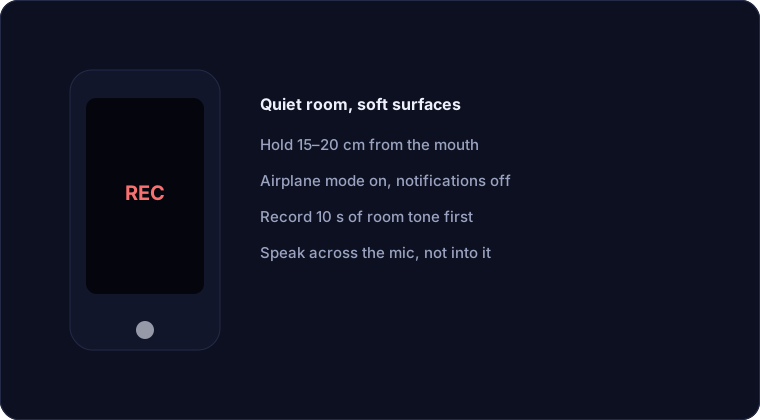
People assume good audio needs an expensive microphone. It does not. It needs a quiet room, a sensible distance, and a moment spent on settings. A phone in a soft bedroom, held the right way, will beat an expensive microphone used in a bathroom at arm's length. This guide is the setup that consistently produces clean phone voice.
1. Choose the room before anything else
The room is the biggest factor and the cheapest to fix. Hard, flat surfaces reflect sound and add echo; soft surfaces absorb it. Record in a bedroom with a bed, curtains and carpet rather than a kitchen or bathroom. If every room is echoey, stand in a wardrobe of clothes or sit under a duvet — it looks ridiculous and it works. Close the windows and turn off fans, air-conditioning and anything else that hums.
2. Get the distance right
Hold the phone 15–20 cm from your mouth — roughly a hand-span. Closer than that and you get plosives and a boomy, proximity-boosted tone; further away and the room and noise come up while your voice goes down. If you have a table, prop the phone on a stand or a stack of books so your hands are free and the distance stays constant. Keep the phone slightly off to one side, angled across your mouth rather than pointing straight into it, so hard consonants do not hit the microphone directly.
3. Fix the phone settings
- Use the built-in recorder app rather than a calling or messaging app, which often compresses and processes the audio.
- Turn on Airplane mode or Do Not Disturb. A notification vibration or a ringtone in the middle of a take is noise you cannot remove.
- Check the format. If the app offers a choice, record in the highest quality it allows, ideally lossless or at least a high-bitrate file. You can always make a smaller copy later.
- Disable any "voice memo enhancement". Some phones apply automatic noise reduction that makes the voice sound thin and processed. Raw is better; you can clean it yourself.
- Record a few seconds of silence first. This room tone is your noise reference and it also tells you whether the room is quiet enough.
4. Speak for the microphone
Keep your speaking level steady and project a little more than feels natural — the microphone rewards a confident, even delivery. Do not let your voice trail off at the end of sentences, which is where intelligibility is lost. Slow down slightly; when you are nervous you speak faster, and faster speech is harder to clean because the words run together. Take a breath, pause, and start again if you fumble — it is far easier to cut a pause than to fix a stumble.
5. Avoid the classic phone mistakes
- Speakerphone. It is designed to be loud, not accurate, and it picks up the room far more than your voice.
- A case that blocks the mic. Check where the microphone holes are and make sure your hand is not covering them.
- Recording while walking. Footsteps, wind and changing distance all ruin the take. Stand still.
- Bluetooth earbuds. They are convenient but their microphones are usually worse than the phone's, and they add latency and compression.
6. Clean it up afterwards
Even a well-recorded phone take benefits from a quick pass: trim the silence, reduce the steady noise, and normalise the level. Offex Audio's Remove Silence and Enhance Audio tools do this on our secure server with no install. The background noise guide walks through the full method.
Conclusion
Clean phone voice comes from the room, the distance, the settings and a steady delivery — not from the price of the microphone. Record in a soft room, hold the phone a hand-span away and slightly off-axis, turn off everything that can buzz or ring, record raw, and clean up afterwards. Do those things consistently and your phone will produce audio that is more than good enough to publish.
Frequently asked questions
Can a phone record studio-quality audio?
Not studio-quality, but with a quiet room, the right distance and clean settings it can produce clear, publishable voice that most listeners will accept without a second thought.
Why does my phone recording sound echoey?
Because you are in a room with hard, reflective surfaces and the phone is far from your mouth. Move to a soft room and hold the phone 15–20 cm away to reduce it.
Should I use earbuds or the phone's microphone?
Usually the phone's own microphone. Most Bluetooth earbud microphones are worse and add compression and latency, so the built-in mic wins for recording.
What settings should I change on my phone?
Use the built-in recorder, turn on Airplane mode or Do Not Disturb, pick the highest quality the app offers, and turn off any automatic voice enhancement.